Themes
A theme decides how your invoice looks: the page layout, the colors, the fonts and the style of every block. It never decides what the invoice says. Switching the theme is one line, and your data, the totals, the legal notes, the ZUGFeRD XML and the EPC-QR code stay exactly the same.
#show: invoice.with(
  theme: theme.elegant, // any theme from the list below
  // sender: .., recipient: .., invoice-nr: ..
)
Without a theme argument, invoice uses theme.classic.
At a Glance
All ten themes on identical data (same items, brand color and logo), each on the layout it picks for a German sender:
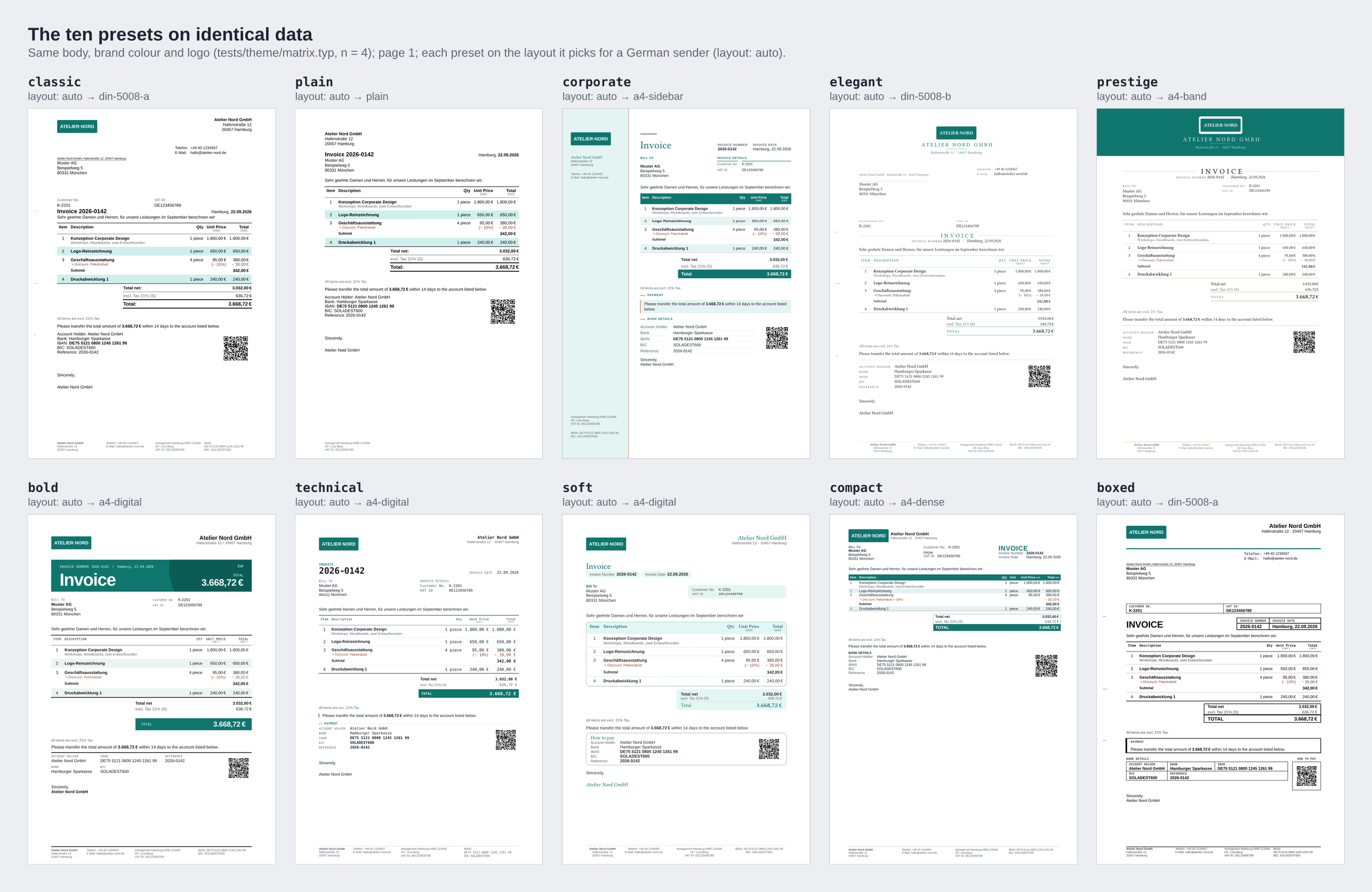
All Themes
Each theme has a page with a sample invoice, a copy-paste quick start and tips for branding it.
| Theme | Best for | Look | Made for |
|---|---|---|---|
| Classic | everyone; the default | Business letter with a legal footer, a continuation header and "Page 1 of 2". | window envelope and PDF |
| Plain | pre-printed letterhead, minimal documents | The classic look without furniture: everything in the text flow. | letterhead paper and PDF |
| Corporate | larger companies, purchase-order driven B2B | Two brand colors, a brand rail with all legal data, filled table header, payable bar. | |
| Elegant | law firms, notaries, tax advisers, consultancies | Serif letter: centered letterhead, one ink color, hairlines, no fills. | window envelope and PDF |
| Prestige | premium brands, hotels, fine dining | Full-bleed onyx band with champagne type and a serif display title. | |
| Bold | agencies and studios | A poster block in the brand color with the document word and the amount due. | |
| Technical | IT freelancers, software houses, engineering | Spec sheet: monospace labels and figures, fine rules, an inverted payable amount. | |
| Soft | cafés, practices, small retail, B2C | Serif headings, rounded cards, number and date in pills, a "how to pay" card. | |
| Compact | wholesale and distribution, long invoices | 8.5 pt, item number and unit columns, filled repeating header, boxed totals. | PDF and print |
| Boxed | trades and crafts | Ruled form boxes, a heavy title, monospace form labels; no fill carries meaning. | window envelope, print, fax |
"Made for" names the output of the theme's default layout. Every theme works with every layout, so any of them can be printed for a window envelope (see Themes and Layouts).
Each theme with sample data from the kind of business it is made for:
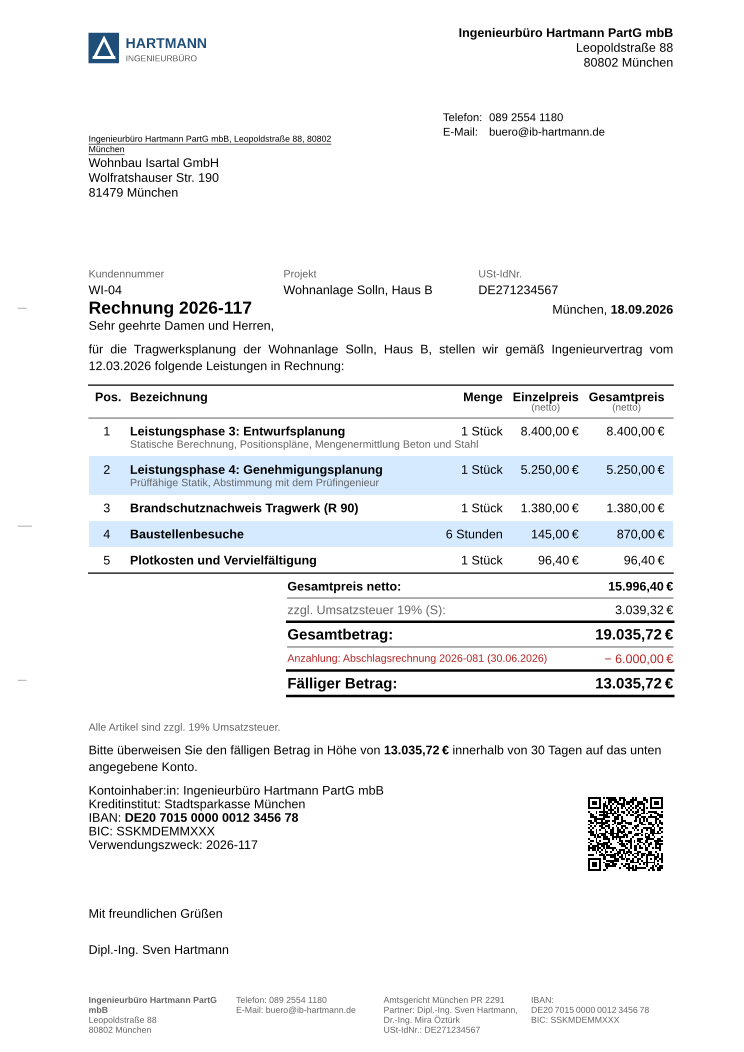 | 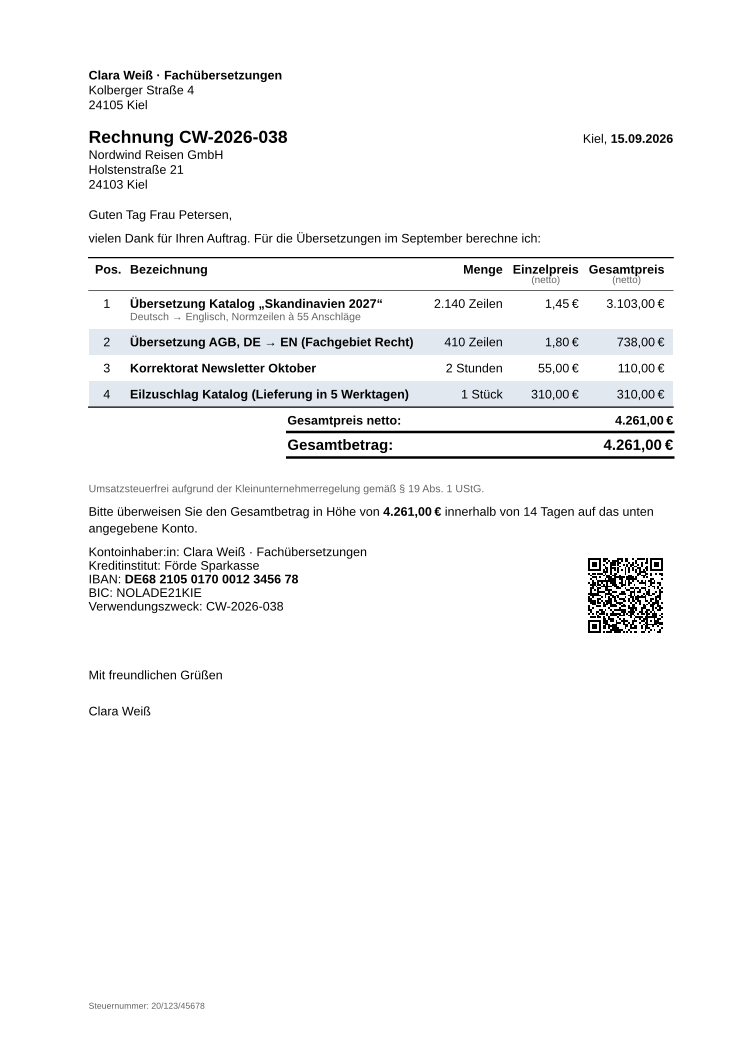 | 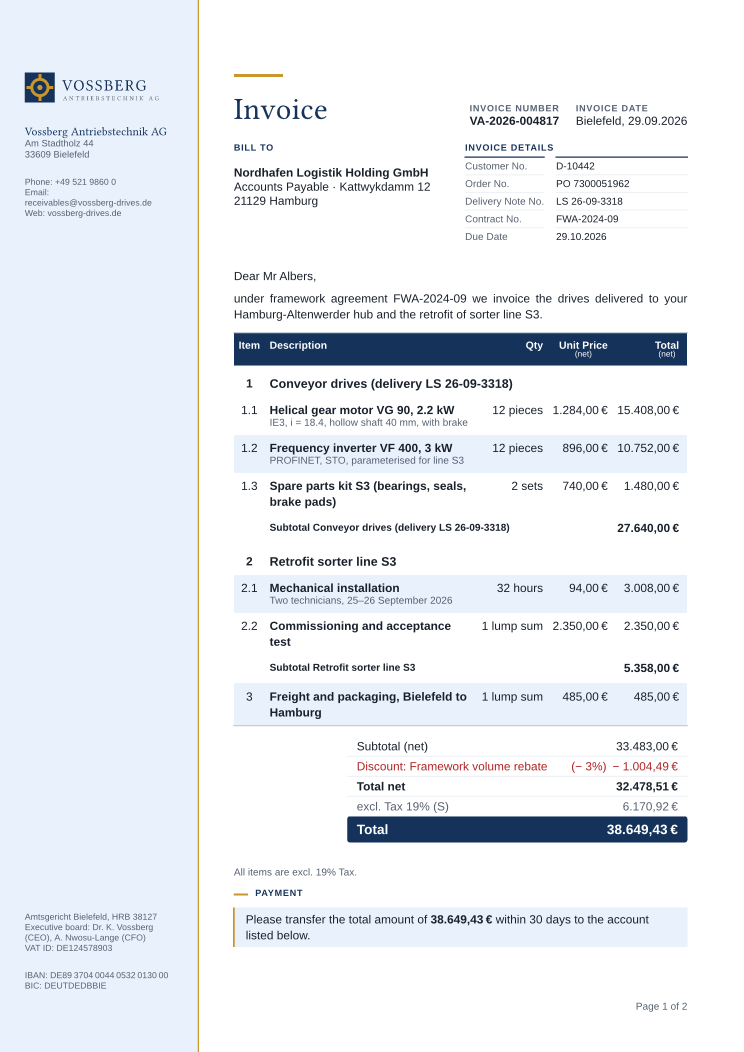 | 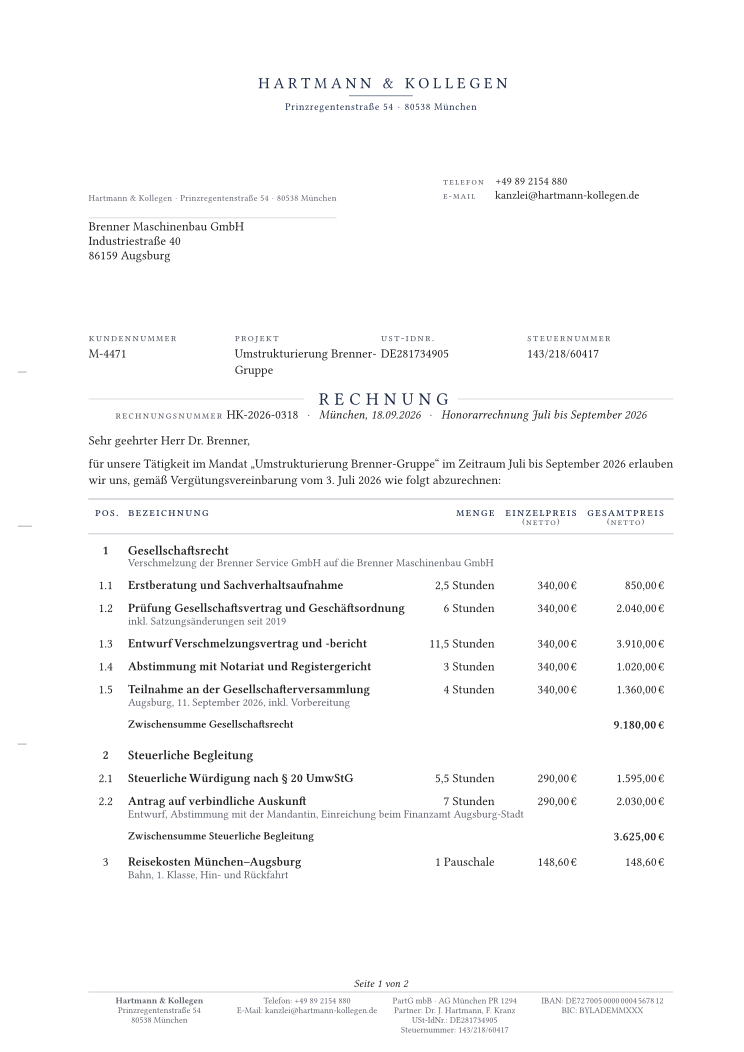 | 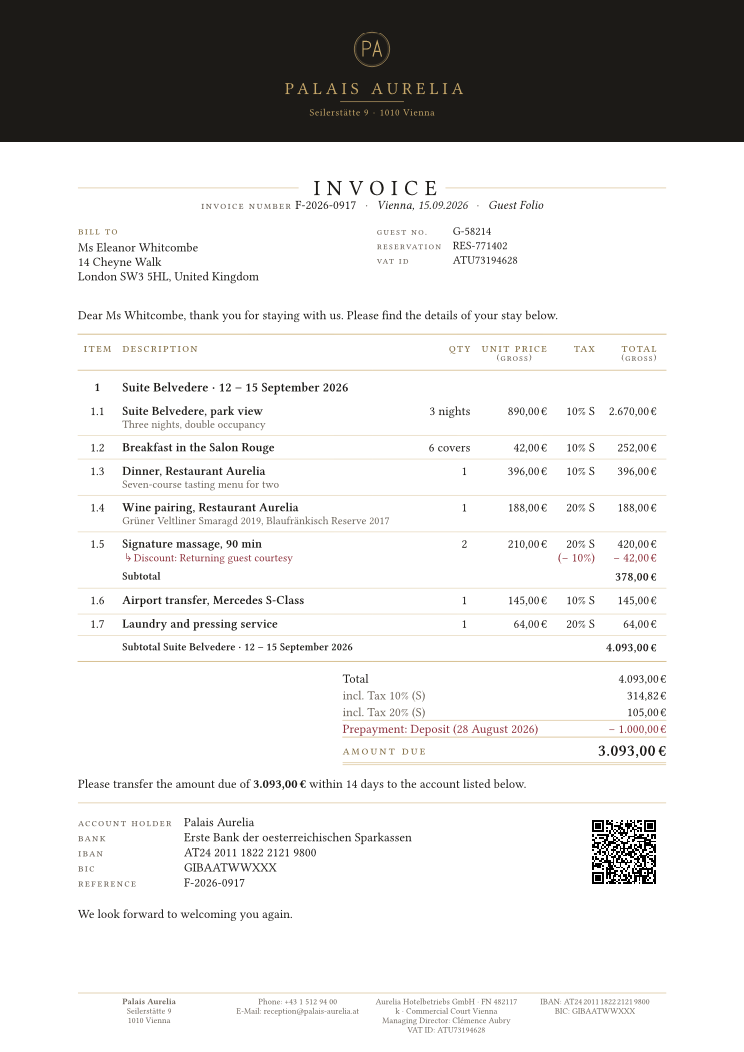 |
| Classic | Plain | Corporate | Elegant | Prestige |
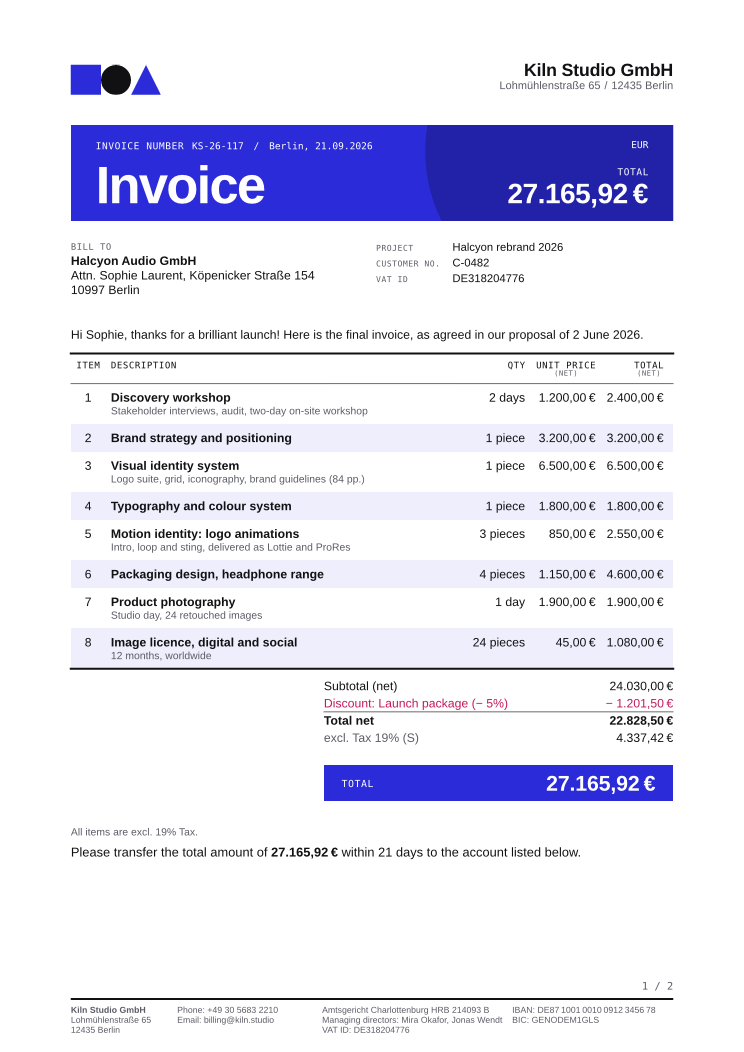 | 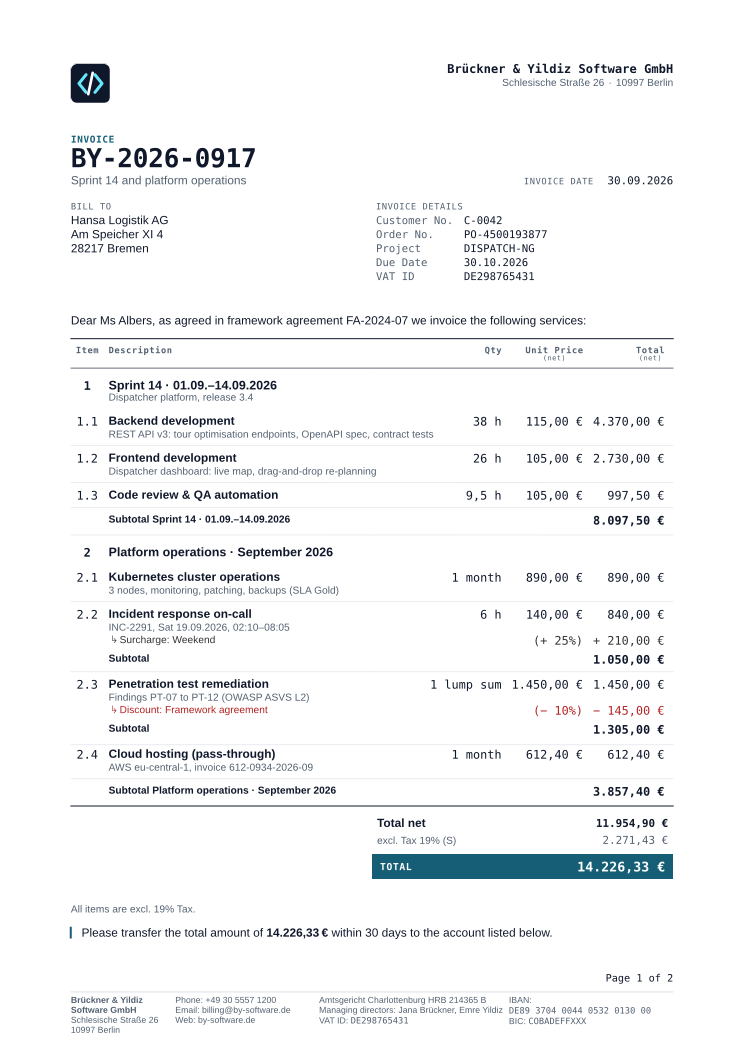 | 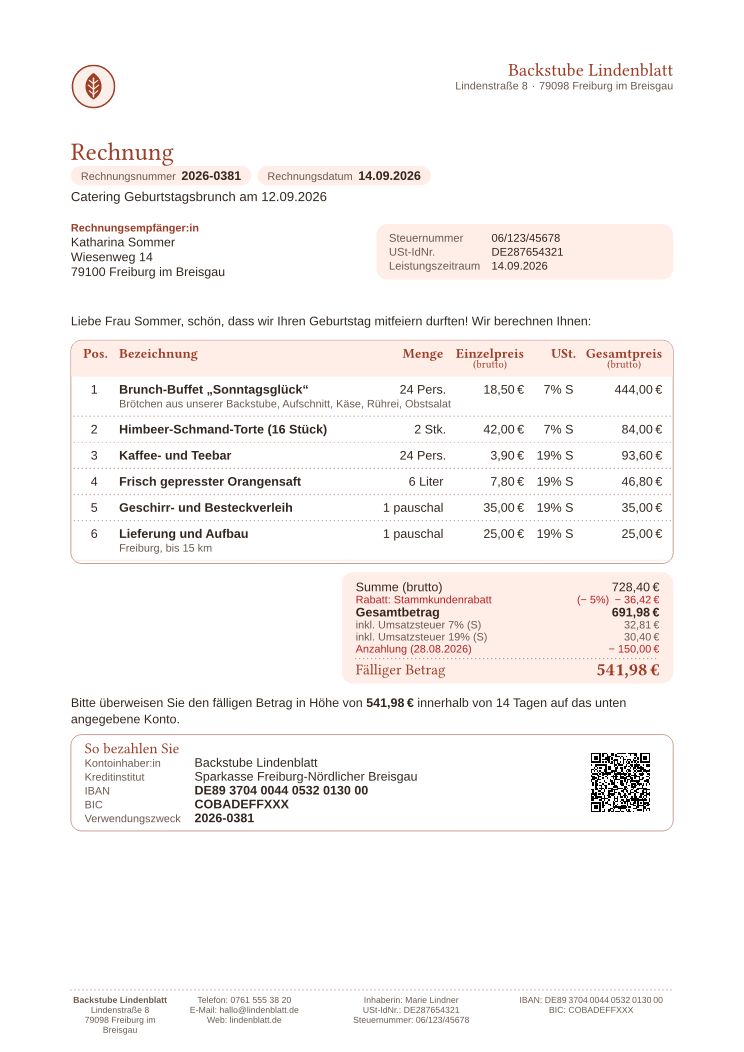 | 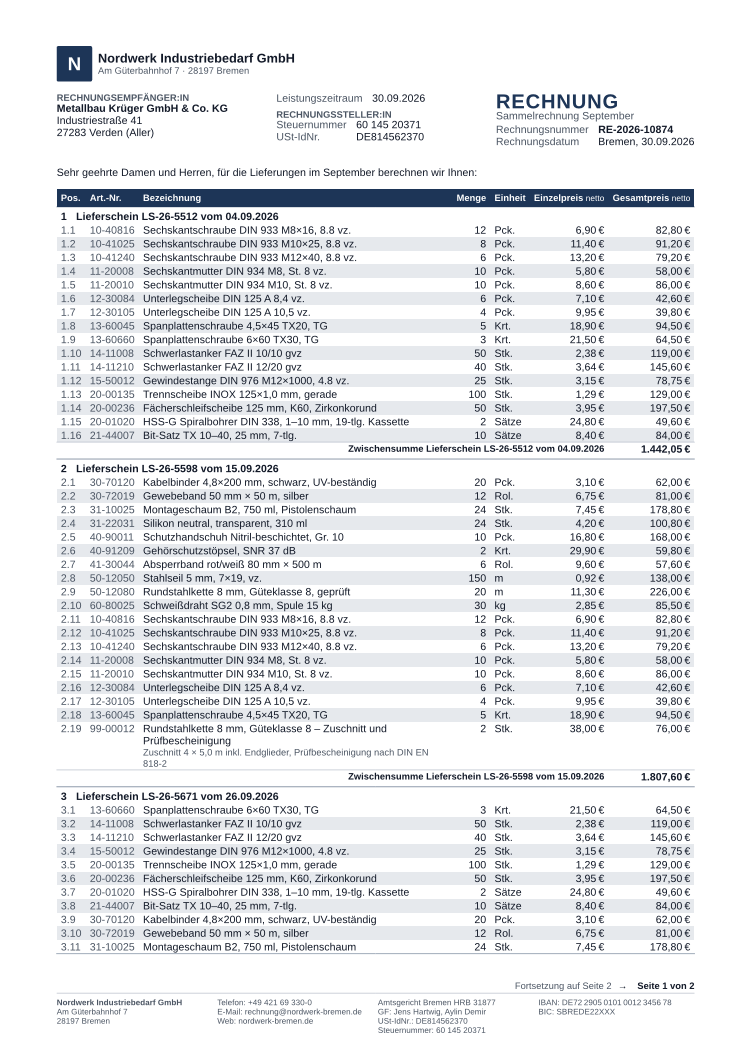 | 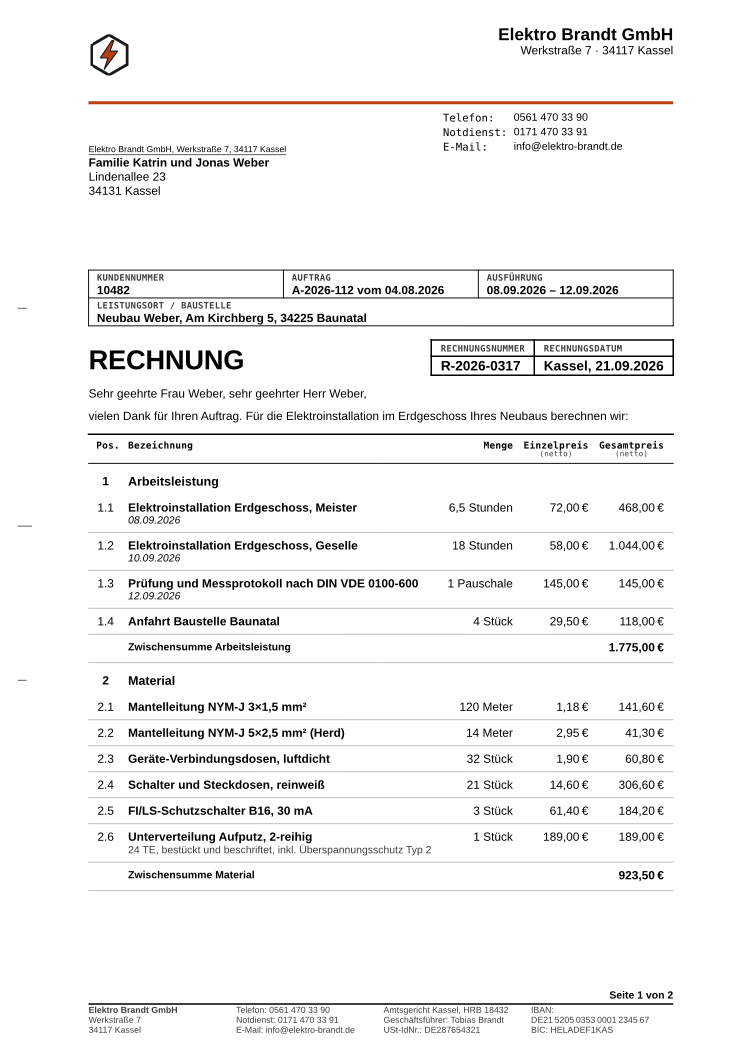 |
| Bold | Technical | Soft | Compact | Boxed |
Which Theme Fits?
| If you … | Start with |
|---|---|
| mail invoices in a window envelope | Classic, Elegant or Boxed: they use a window layout |
| send invoices as PDF only | any theme; Bold, Technical and Soft are made for it |
| print on your own letterhead paper | Plain, or any window theme with theme.custom.stationery("pre-printed") |
| bill consumers with gross prices | Soft; see the B2C guide |
| bill companies that route invoices by purchase order | Corporate |
| write invoices with 40 lines or more | Compact |
| sell few items at high prices and want a premium feel | Prestige |
| want a look that never changes between 0.6.x releases | Classic or Plain: their look is frozen |
Themes and Layouts
A theme is a look on a default layout. The look sets colors, fonts and the style of each block. The layout is the page master: paper, margins, fold marks, the envelope window and the places where the sender, the recipient and the footer go. Looks never change the geometry, so every look works on every layout.
Without layout:, a theme picks its layout from the sender's country, because paper and envelopes belong to the sender: classic uses DIN 5008 form A for a German sender, SN 010130 for a Swiss one and US Letter for an American one. To pin a layout, pass it: theme.soft.with(layout: theme.layout.din-5008-a) puts the soft look on a DIN 5008 letter for a window envelope.
The Layouts reference lists all 16 layouts and the region rules.
Your Brand on Any Theme
A brand is a patch that works with every theme. Define it once and pass it to the theme you like:
#let brand = theme.custom.brand(
  color: rgb("#0f766e"),
  logo: image("logo.svg", alt: "Atelier Nord GmbH"),
)

#show: invoice.with(
  theme: theme.soft.with(brand), // or theme.classic.with(brand), theme.bold.with(brand), ..
  // sender: .., recipient: .., invoice-nr: ..
)
The brand color is a seed: stripes, tints and the brand color used as text derive from it, so they follow when you change it. brand also takes a second color (accent) and fonts; see brand().
Fonts
Typst packages cannot ship fonts, and Typst embeds only Libertinus Serif, New Computer Modern and DejaVu Sans Mono. Every font chain of every theme therefore ends in an embedded family, so each theme renders on any machine. Install the preferred fonts to get the intended look.
| Theme | Preferred fonts (the embedded fallback in brackets) |
|---|---|
| Classic, Plain | Liberation Sans (Libertinus Serif) |
| Corporate | Liberation Sans (Libertinus Serif); headings in Libertinus Serif |
| Elegant | Libertinus Serif (embedded) |
| Prestige | EB Garamond; headings in Playfair Display or Bodoni Moda (Libertinus Serif) |
| Bold | Inter, Arial or Liberation Sans (Libertinus Serif); labels in DejaVu Sans Mono |
| Technical | Inter, Liberation Sans or Arial (Libertinus Serif); labels and figures in DejaVu Sans Mono |
| Soft | Segoe UI or Liberation Sans (Libertinus Serif); headings in Libertinus Serif |
| Compact | Inter, Arial or Liberation Sans (Libertinus Serif) |
| Boxed | Liberation Sans (Libertinus Serif); labels in DejaVu Sans Mono |
When you set your own fonts, end the chain in an embedded family as well, for example ("Inter", "Liberation Sans", "Libertinus Serif").
Stability
classic and plain are frozen: their look does not change in 0.6.x. The other eight keep their names and default layouts, but their appearance may still be refined in a minor release. If a pixel-exact look matters to you, for example for reference images in a test suite, pin the package version.
Going Further
The themes are built from the same public API you can use yourself:
- Theming API: how a theme is built and passed, and in which order changes apply.
- Customization: brand, colors, fonts, sizes and the options of every block.
- Layouts: page masters, envelope windows, letterhead paper and your own formats.
- Parts: restyle or replace single blocks, or ship a theme as a package.